Can't Hear in Restaurants? How Captioning Glasses Solve the #1 Hearing Loss Complaint
Restaurant noise makes hearing aids fail. Learn why captioning glasses with 4-mic beamforming maintain 97% accuracy at 78+ dBA — and how they solve the most common hearing loss frustration.
By Madhav Lavakare · Published 2026-04-04 · 16 min read
Why Can't You Hear in Restaurants — and What Actually Works?
Table of Contents
Why Are Restaurants So Hard for People With Hearing Loss?
Why Do Hearing Aids Fail in Restaurants?
What Are Captioning Glasses and How Do They Work in Noise?
What Makes Beamforming the Key to Hearing in Restaurants?
What Do Real Users Say About Captioning Glasses in Restaurants?
How Do Different Restaurant Solutions Compare?
Can You Use Captioning Glasses With Hearing Aids?
What About Phone Apps and Other Workarounds?
How to Get Started With Captioning Glasses for Restaurants
Beyond Restaurants: Where Else Do Captioning Glasses Help?
Frequently Asked Questions
Do captioning glasses work in all restaurants or only quiet ones?
How fast do the captions appear?
Can other people at the table see the captions on my lenses?
What if I already have hearing aids — do I need to choose one or the other?
Are captioning glasses covered by insurance or HSA/FSA?
Do captioning glasses need Wi-Fi to work in a restaurant?
How long does the battery last through a dinner?

Guides
Can't Hear in Restaurants? How Captioning Glasses Solve the #1 Hearing Loss Complaint

Madhav Lavakare
·
April 4, 2026
·
16 min read
On this page
Table of Contents
▼
Editorial disclosure: AirCaps manufactures captioning glasses. We include our product alongside other solutions in this guide. We aim to be straightforward about where captioning glasses excel and where other approaches may be more appropriate for your situation.
Why Can't You Hear in Restaurants — and What Actually Works?
Restaurants are where hearing loss hits hardest. Average restaurant noise reaches 78 dBA, with bars climbing to 81 dBA (NIDCD, 2025). The CDC confirms that conversation becomes difficult above 75 dBA — a threshold most restaurants exceed during peak hours. Among the 1.5 billion people worldwide living with hearing loss (WHO, 2024), "I can't hear in restaurants" is the single most reported frustration — and the number one reason people stop wearing hearing aids. Captioning glasses solve this by converting speech to text displayed in your line of sight, using 4-mic beamforming to maintain 97% accuracy even in noisy environments.
This guide explains why restaurants are so difficult for people with hearing loss, why hearing aids and phone apps fall short, and how captioning glasses change the equation.
Key Takeaways
- Restaurant noise averages 78 dBA — above the 75 dBA threshold where conversation becomes difficult, according to the CDC
- 80% of UK diners have left a restaurant due to noise levels, and 25% of NYC restaurants exceed 81 dBA
- Hearing aids amplify background noise along with speech — their biggest limitation in restaurants
- Captioning glasses with 4-mic beamforming filter noise at the hardware level, maintaining 92-97% accuracy in restaurant-level noise
- AirCaps captioning glasses cost $599 (HSA/FSA eligible), weigh 49g, and display real-time captions on binocular MicroLED lenses with 300ms latency
Table of Contents
- Why Are Restaurants So Hard for People With Hearing Loss?
- Why Do Hearing Aids Fail in Restaurants?
- What Are Captioning Glasses and How Do They Work in Noise?
- What Makes Beamforming the Key to Hearing in Restaurants?
- What Do Real Users Say About Captioning Glasses in Restaurants?
- How Do Different Restaurant Solutions Compare?
- Can You Use Captioning Glasses With Hearing Aids?
- What About Phone Apps and Other Workarounds?
- How to Get Started With Captioning Glasses for Restaurants
- Frequently Asked Questions
Why Are Restaurants So Hard for People With Hearing Loss?
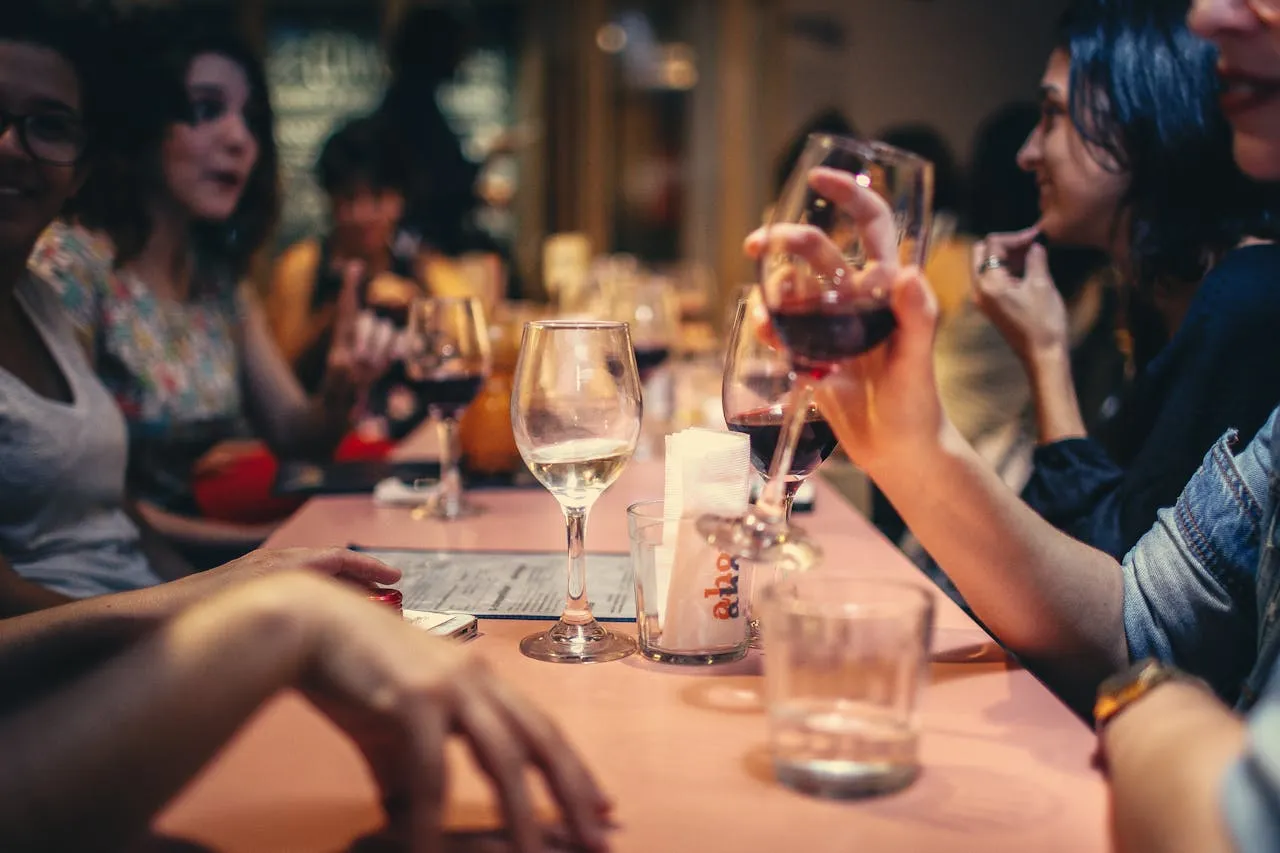
The restaurant environment combines every factor that makes hearing loss worse. Multiple conversations happening simultaneously, clattering dishes, background music, open kitchens, hard reflective surfaces that bounce sound — restaurants are acoustically hostile by design. The NIDCD reports average noise levels of 78 dBA in restaurants and 81 dBA in bars, with 25% of New York City restaurants exceeding 81 dBA (CDC, 2023). In the UK, 80% of diners have left a restaurant because of excessive noise (PMC, 2022).
For people with normal hearing, this is an annoyance. For the 50+ million Americans living with hearing loss — 1 in 7 adults (HLAA, 2025) — restaurants can be isolating. The person across the table is talking, and you catch fragments. You smile and nod. You stop asking people to repeat themselves because it gets embarrassing. Eventually, you stop going out.
This pattern shows up repeatedly in hearing loss communities: the gradual withdrawal from social dining, family gatherings, and group outings. It's not the hearing loss itself that's most painful — it's the disconnection from conversations that matter.
Why Do Hearing Aids Fail in Restaurants?
Hearing aids amplify sound. That's their fundamental mechanism — a microphone picks up audio, a processor amplifies speech frequencies based on your audiogram, and a speaker delivers the amplified signal into your ear canal. This works well in quiet environments where speech is the dominant sound. But in a restaurant at 78 dBA, the hearing aid amplifies the person talking to you and the table behind you and the kitchen noise and the background music.
Modern hearing aids use digital signal processing and directional microphones to reduce background noise, but they are constrained by the physics of sound amplification. Even the two models with real-time AI processing — Phonak Sphere Infinio and ReSound Vivia (Soundly, 2026) — work by modifying the audio signal. When the signal-to-noise ratio drops below a certain threshold, no amount of processing fully recovers intelligible speech.
More than 60% of people who need hearing aids don't use them (Healthy Hearing, 2025). Cost, stigma, and comfort all play a role — but performance in noisy environments is consistently cited as the top frustration. Hearing aids don't fail because they're bad technology. They fail in restaurants because amplifying sound is the wrong approach when background noise is the problem.
What Are Captioning Glasses and How Do They Work in Noise?
Captioning glasses take a completely different approach. Instead of making sounds louder, they convert spoken words into text using AI-powered speech recognition and display that text on a transparent screen built into the lenses. You read what people are saying in real time, overlaid on your normal field of view — while maintaining eye contact with the person speaking.
AirCaps captioning glasses use a 4-microphone beamforming array to isolate the speaker you're facing and filter background noise before the speech recognition engine processes the audio. The result is 97% caption accuracy with 300ms latency, even in restaurant-level noise. The display uses binocular MicroLED waveguides (one display per eye) with less than 2% light leakage, so the person across the table can't see the text on your lenses.
The key distinction: hearing aids try to solve the restaurant problem at the audio level. Captioning glasses solve it at the information level. You don't need to hear every word clearly if you can read it — accurately, instantly, and without looking down at a phone.
At 49 grams, AirCaps weighs less than most prescription eyeglasses. The frames are designed in collaboration with Bolon Eyewear, available in Midnight, Silver, Sage, and Rose. Most people assume you're wearing regular glasses, not an assistive device.

What Makes Beamforming the Key to Hearing in Restaurants?
Beamforming is the technology that separates captioning glasses designed for noisy environments from devices that simply transcribe whatever audio they pick up. Research shows beamforming improves speech-to-noise ratio by 3.3 to 13.9 dB (PubMed, 2018) — a substantial improvement when the difference between catching a sentence and missing it entirely can be just a few decibels.
Here's how it works: AirCaps has 4 microphones positioned around the frame. Instead of each microphone independently capturing sound, the beamforming algorithm combines signals from all 4 to create a directional "cone" of sensitivity pointed at the speaker in front of you. Sound arriving from other directions — the kitchen, the table behind you, the bar — gets attenuated before the audio ever reaches the speech recognition AI.
This is the same principle used in professional conference room microphones and military communications equipment, miniaturized into a pair of glasses. Most competing captioning devices use 1-2 microphones without beamforming, which means they capture all the restaurant noise and ask the AI to sort through it. AirCaps filters the noise first, then transcribes the clean signal — a sequence that produces fundamentally better accuracy in loud environments.
The practical effect: you can sit at a crowded restaurant, face the person you're talking to, and read accurate captions of their speech while the noise around you becomes irrelevant.
What Do Real Users Say About Captioning Glasses in Restaurants?
AirCaps has 5,000+ customers and a 4.9 out of 5 rating from 127 reviews, with 97% recommending the product. Restaurant and group dining scenarios appear more frequently in customer stories than any other use case.
One customer, Joseph Davidson, describes the restaurant problem precisely: "Severe hearing loss which is only partially abetted by my hearing aids. When I was sitting around a table, I lost the conversation." After using AirCaps, he could follow along again.
Mike Miller captures the emotional toll: "I often felt left out. I'd miss jokes, withdraw from conversations, and sit quietly, smiling but not really connecting." Another customer, Brent Anderson — 92 years old — says the glasses "opened up my social world again."
Matt Ham bought AirCaps for his deaf mother: "The first response was tears in our family." An otolaryngologist told customer Charles Dunlop: "Now we can stop talking about a cochlear implant."
These stories share a pattern: hearing loss didn't just make restaurants difficult — it made people withdraw from social life. And the solution wasn't louder sound. It was readable text, delivered accurately and privately in their line of sight.
How Do Different Restaurant Solutions Compare?
There are several approaches to the restaurant hearing problem. Here's how they stack up.
| Solution | How It Works | Accuracy in 78+ dBA Noise | Eye Contact | Cost |
|---|---|---|---|---|
| Hearing aids (premium) | Amplifies sound to ears | Significantly degraded | Yes | $2,000-$7,000 |
| Captioning glasses (AirCaps) | 4-mic beamforming + speech-to-text on lenses | 92-97% | Yes | $599 |
| Phone captioning apps | Phone mic captures audio, displays text on screen | 70-85% (single mic, no beamforming) | No (looking at phone) | Free-$10/month |
| Personal amplifier (PSAP) | Amplifies nearby sound | Degraded (same limitation as hearing aids) | Yes | $50-$500 |
| Asking people to repeat | Social strategy | Depends on patience | Yes | Free (but costly to dignity) |
| Choosing quieter restaurants | Avoidance strategy | N/A | Yes | Limits options |
The comparison reveals two categories of solution: those that try to improve the audio (hearing aids, amplifiers) and those that bypass audio entirely (captioning glasses, phone apps). In restaurant noise, bypassing audio is more reliable. But phone apps force you to look down at a screen during conversation — breaking eye contact, signaling distraction, and making the disability visible in a way many people find uncomfortable.
Captioning glasses combine the accuracy of visual text with the natural social dynamics of eye contact. You're looking at the person speaking to you. The captions appear in your peripheral vision. Nobody else at the table knows you're reading text unless you tell them.
Can You Use Captioning Glasses With Hearing Aids?
Yes — and many people get the best results this way. Hearing aids and captioning glasses solve different parts of the problem.
Hearing aids provide ambient sound awareness: the waiter approaching from behind, background music you enjoy, the general atmosphere of a lively restaurant. They keep you connected to the world of sound. Captioning glasses provide speech comprehension with consistent accuracy when background noise overwhelms your hearing aids.
The practical approach: wear your hearing aids as usual. When you sit down at a restaurant, put on your captioning glasses. Use your hearing aids for environmental awareness and general conversation flow. Use the captions for the specific words and sentences you're missing. AirCaps weighs just 49g and works with any prescription from -16 to +16 diopters, so it sits comfortably alongside hearing aids.
One AirCaps customer, a cochlear implant wearer, uses captioning glasses as a supplement for situations where his implant alone isn't sufficient. Another customer's otolaryngologist recommended this complementary approach rather than pursuing additional surgery. The technologies aren't competing — they're covering different scenarios.

What About Phone Apps and Other Workarounds?
Before captioning glasses, people with hearing loss developed workarounds for restaurants. Some work better than others, but none solve the core problem as completely.
Phone captioning apps (like Live Transcribe or Otter) use the phone's microphone to capture speech and display text on screen. They're free or cheap, and they work — in quiet rooms. In restaurants, a single phone microphone sitting on the table picks up everything: your conversation, the next table's conversation, kitchen noise, music. Accuracy drops to 70-85%, and you're staring at your phone instead of the person talking. Several AirCaps customers describe switching from phone apps because looking down at a screen made them feel more disconnected, not less.
Requesting a quiet table or choosing less noisy restaurants is a common strategy, but it limits your options and puts the burden on you to manage around your hearing loss. Some people avoid restaurants entirely during peak hours.
Lip reading helps some people, but it's estimated to capture only 30-45% of English speech sounds through visual cues alone — and it fails completely with masks, dim lighting, or speakers who don't face you directly.
Companion microphones (remote mics paired to hearing aids) can improve signal quality by placing the microphone closer to the speaker. They help, but they require the speaker to wear or hold the device, which adds friction and makes the hearing loss visible.
Captioning glasses combine the best elements — accurate text, hands-free use, maintained eye contact — without the limitations of any single workaround.
How to Get Started With Captioning Glasses for Restaurants
If restaurants have become a source of stress rather than enjoyment, here's a practical path forward.
Step 1: Understand what you're solving for. If you can hear reasonably well in quiet settings but lose conversations in noise, captioning glasses may be the missing piece — either as a standalone solution or as a complement to hearing aids you already own.
Step 2: Try AirCaps with the free tier. AirCaps captioning glasses cost $599 (HSA/FSA eligible) and include unlimited captions in 9 languages at 90%+ accuracy with no subscription required. The Pro tier at $20/month adds 60+ languages, 97%+ accuracy, speaker identification for up to 15 speakers, and AI meeting intelligence. A 30-day free trial of Pro is included with purchase.
Step 3: If you wear prescription lenses, any optician can fit AirCaps with your prescription from -16 to +16 diopters using the interchangeable lens holder ($39). No special vendor required.
Step 4: Test in your most challenging environment. Go to the restaurant where you've struggled most. Sit in the noisiest section. Face the person you want to hear. The 4-mic beamforming focuses on whoever you're looking at, and captions appear on your lenses within 300ms.
AirCaps ships within 2 weeks with free shipping to the US, CA, UK, AU, and other countries. There's a 15-day return policy if the glasses don't meet your needs, plus a 1-year warranty and lifetime customer support. The founders are known for personally helping resolve issues — one co-founder personally assisted a customer with a technical problem.

Beyond Restaurants: Where Else Do Captioning Glasses Help?
Restaurants are the most common complaint, but the same noise-filtering technology works wherever background noise makes hearing difficult.
Family gatherings — holiday dinners, birthday parties, backyard barbecues — produce many of the same acoustic challenges. Multiple people talking, kids running around, music playing. Customer Santiago Alvarez bought AirCaps so his grandmother could follow along at church services. Leah Canale wore them to a comedy show at USB Arena and says: "I have never laughed so hard in my life."
Other scenarios where captioning glasses excel:
- Movie theaters and live events without captions
- Classrooms and lectures with poor acoustics
- Group meetings and conferences
- Airports and public transit
- Doctor visits where understanding medical information is critical
- Business meetings where missing a detail has real consequences
- International conversations where language barriers compound hearing difficulty
The common thread: any environment where hearing aids alone aren't enough, captioning glasses fill the gap.
Frequently Asked Questions
Do captioning glasses work in all restaurants or only quiet ones?
Captioning glasses with beamforming are specifically designed for noisy environments. AirCaps maintains 92-97% caption accuracy at noise levels of 78+ dBA — the average restaurant level reported by the NIDCD. The 4-mic beamforming array filters background noise at the hardware level before speech recognition processes the audio. Louder restaurants may see slightly lower accuracy, but performance remains substantially better than hearing aids or phone apps in the same conditions.
How fast do the captions appear?
AirCaps displays captions with 300ms latency — roughly one-third of a second after words are spoken. This is fast enough that conversation feels natural. You read the words almost as they're being said, without the awkward delay that makes some captioning systems feel disconnected from the flow of discussion.
Can other people at the table see the captions on my lenses?
No. AirCaps uses binocular MicroLED waveguide displays with less than 2% light leakage. The person sitting across from you sees what looks like regular eyeglasses. The text is visible only to you. This privacy is one of the most valued features in customer reviews — it preserves dignity and lets you use the device without drawing attention.
What if I already have hearing aids — do I need to choose one or the other?
You don't need to choose. Many AirCaps users wear hearing aids and captioning glasses together. Hearing aids handle ambient sound awareness and work well in quieter settings. Captioning glasses handle speech comprehension in noise. Think of hearing aids as your default and captioning glasses as your restaurant mode.
Are captioning glasses covered by insurance or HSA/FSA?
AirCaps is HSA/FSA eligible at $599, which means you can use pre-tax health savings dollars to purchase them — effectively saving 20-35% depending on your tax bracket. Traditional insurance coverage for captioning glasses varies. HSA/FSA eligibility positions AirCaps as a recognized assistive health device, not a consumer gadget.
Do captioning glasses need Wi-Fi to work in a restaurant?
AirCaps connects to your smartphone via Bluetooth 5.3 and uses your phone's internet connection for AI processing. Offline mode is available for 9 languages (English, Spanish, Chinese, French, German, Italian, Japanese, Korean, Portuguese) with reduced accuracy. Most restaurants have adequate cellular coverage for normal operation.
How long does the battery last through a dinner?
AirCaps lasts 4-8 hours on mixed usage, which covers most dining experiences comfortably. For longer events, Power Capsules ($79) are hot-swappable magnetic batteries that extend use up to 18 hours total without removing the glasses. Each capsule weighs just 5 grams.
Sources: WHO — Deafness and Hearing Loss, 2024. NIDCD — Noise Levels in Restaurants, 2025. CDC — Noise and Hearing, 2023. HLAA — Hearing Loss Statistics, 2025. Healthy Hearing — Hearing Aid Statistics, 2025. PubMed — Beamforming in Hearing Devices, 2018. Soundly — Hearing Aid Reviews, 2026. PMC — Restaurant Noise Impact, 2022.
On this page
Table of Contents
▼
Written by
Madhav Lavakare
Co-founder & CEO, AirCaps
Co-founder of AirCaps. Building AI-powered smart glasses for conversation since 2013. Yale graduate, Y Combinator alum. Built his first Google Glass apps at age 13 and has spent 11+ years in speech AI and wearable computing.
Related Articles

Guides
Captioning Glasses vs. Hearing Aids: A Complete Comparison
Captioning glasses and hearing aids solve hearing loss differently. Compare accuracy in noise, restaurant performance, cost, insurance coverage, and which solution works best for your situation.
Madhav Lavakare
·
Apr 1, 2026
·
17 min read
Guides
The Complete Guide to Hearing Loss Technology in 2026
Hearing aids, caption glasses, and apps compared for the 1.5B people with hearing loss. Accuracy, cost, and real-world performance data for 2026.

Nirbhay Narang
·
Mar 27, 2026
·
22 min read
Guides
Captioning Glasses: The Complete 2026 Buyer's Guide
Captioning glasses show real-time subtitles in your line of sight. Compare accuracy, price, and features for the 1.5B people with hearing loss.
Madhav Lavakare
·
Mar 27, 2026
·
21 min read
© 2025 AirCaps. All rights reserved.