Captioning Glasses on Phone and Video Calls: A Hands-Free Alternative to TTY and Captioned Telephones
IP CTS calling grew from 2.4M minutes in 2009 to 511.6M in 2019 (FCC). How captioning glasses caption phone and video calls hands-free — a modern alternative to TTY and captioned telephones.
By Madhav Lavakare · Published 2026-07-20 · 19 min read
Can Captioning Glasses Really Caption a Phone or Video Call?
Table of Contents
Why Phone Calls Have Always Been the Hardest Channel
TTY, Captioned Telephones, and Relay: What Came Before
Captions Have Already Gone Automatic — and Mobile
How Captioning Glasses Caption a Call, Step by Step
Video Calls Are the Gap No One Solved
The Latency Problem, and Why It Matters
TTY vs. Captioned Telephone vs. IP CTS vs. Glasses
What Captioning Glasses Will Not Do
Frequently Asked Questions
Can captioning glasses caption a regular phone call?
How is this different from a captioned telephone like CapTel or CaptionCall?
Do captioning glasses work on Zoom, Google Meet, and Microsoft Teams?
Are captioning glasses a replacement for TTY or relay services?
Is automatic captioning accurate enough to trust on important calls?

Guides
Captioning Glasses on Phone and Video Calls: A Hands-Free Alternative to TTY and Captioned Telephones

Madhav Lavakare
·
July 20, 2026
·
19 min read

On this page
Table of Contents
▼
Editorial disclosure: AirCaps builds captioning smart glasses, and many of our customers are deaf or hard-of-hearing people who have spent years managing phone calls with TTY machines, captioned telephones, and relay services. This article argues that captioning glasses are a genuinely useful hands-free option for calls, and we stand behind that honestly. Captioning glasses are not a hearing aid, a relay service, or a replacement for tools you already rely on — where a captioned telephone or human relay is the better fit, we say so. Statistics are independently sourced and linked inline. AirCaps specifications appear only where they bear on the argument.
Can Captioning Glasses Really Caption a Phone or Video Call?
Yes. If the call audio plays out loud — on speakerphone, or through your laptop speakers on a video call — captioning glasses transcribe it into text in your field of view, hands-free. That matters because phone communication has been the single hardest channel for people with hearing loss for decades. In one survey of 404 people with moderate-to-severe hearing loss, 97% found phone calls frustrating and 91% found them stressful (RNID, via Limping Chicken, 2017).
The tools built to solve this — the TTY, the captioned telephone, the relay operator — each tied you to a specific device or a specific desk. Captioning glasses take a different route. They read the words wherever the sound is, so a work call, a video interview, and a doctor's telehealth appointment all get captioned by the same pair of glasses, with your hands and eyes free.
Key Takeaways
- Phone calls are the hardest channel for people with hearing loss: 97% call them frustrating, 91% stressful, and 84% confusing or embarrassing (RNID, 2017)
- IP Captioned Telephone Service demand exploded from 2.4 million minutes in 2009 to 511.6 million minutes in 2019 (FCC, 2024), and captioning is now overwhelmingly automatic
- ASR-only captions rose to 74.6% of IP CTS minutes in 2023 and were projected at 84.5% in 2024 (FCC Report and Order FCC-24-81, 2024) — the direction of travel is AI captioning, not human operators
- TTY, designed in the 1960s, transmits about 60 words per minute with one party typing at a time; the FCC began formally transitioning away from it to Real-Time Text in 2016 (FCC, 2024)
- AirCaps captioning glasses deliver 97% caption accuracy at 300ms latency using 4-microphone beamforming, weigh 49 grams, run binocular MicroLED displays, add 60+ language translation, and cost $599 (HSA/FSA eligible, no required subscription)
Table of Contents
- Why Phone Calls Have Always Been the Hardest Channel
- TTY, Captioned Telephones, and Relay: What Came Before
- Captions Have Already Gone Automatic — and Mobile
- How Captioning Glasses Caption a Call, Step by Step
- Video Calls Are the Gap No One Solved
- The Latency Problem, and Why It Matters
- TTY vs. Captioned Telephone vs. IP CTS vs. Glasses
- What Captioning Glasses Will Not Do
- Frequently Asked Questions
Why Phone Calls Have Always Been the Hardest Channel
A phone call strips away everything a hard-of-hearing person leans on. There is no face to read, no gesture, no context — only compressed audio through a small speaker. The result is measurable distress. In the RNID survey of people with moderate-to-severe hearing loss, 84% found calls confusing or embarrassing, 83% found them tiring, and 61% said they wanted a better solution than what they had (RNID, 2017).
This is not a niche problem. More than 50 million Americans, about 1 in 7, have hearing loss (HLAA, 2024), and roughly 15% of US adults report some trouble hearing (NIDCD, 2024). For many of them, the phone becomes something to avoid. Calls go to voicemail. Appointments get made by a hearing family member. Careers narrow around the fact that a job interview or a client call is a gauntlet.
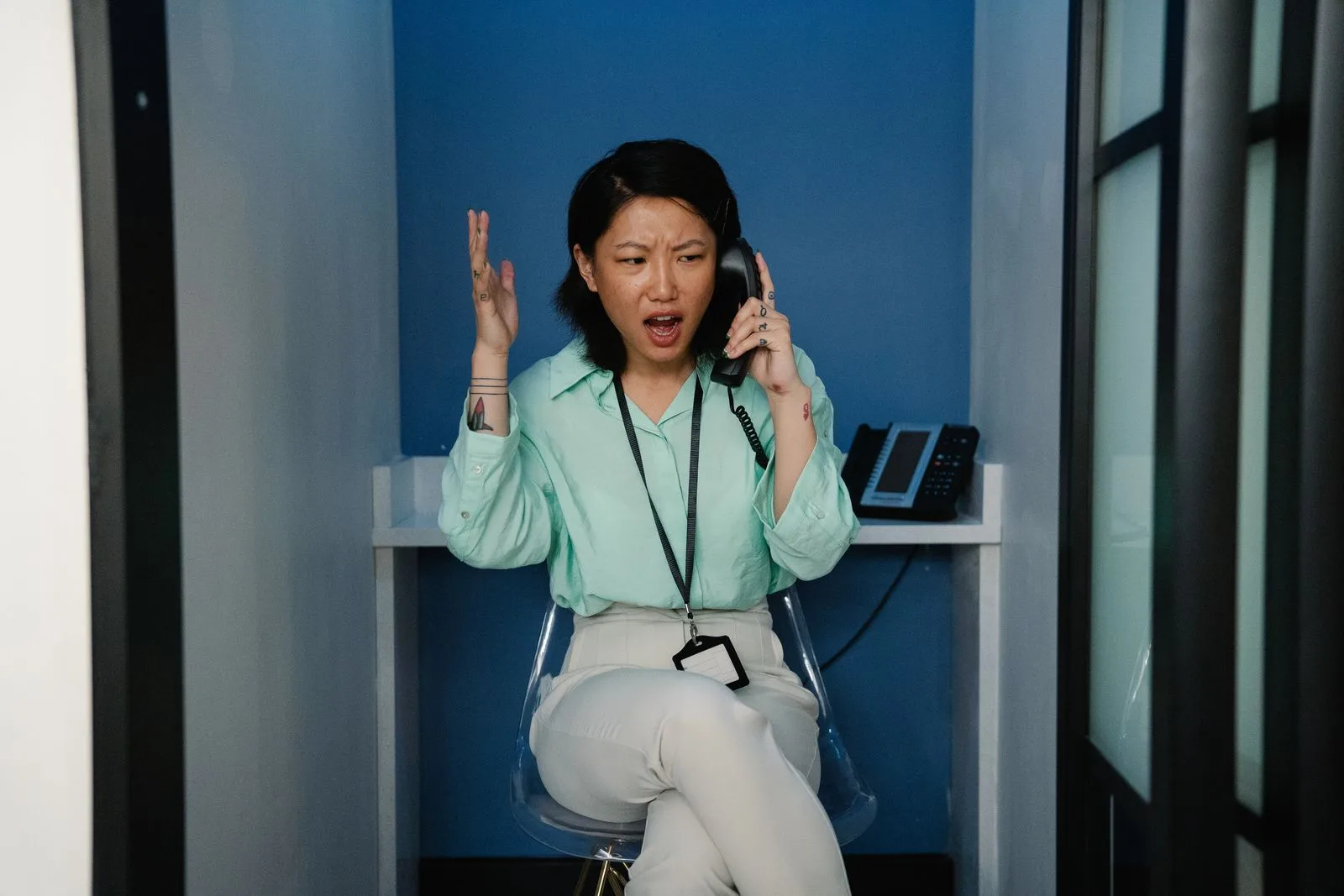
The cost compounds over a lifetime. Adults with hearing loss have roughly 1.98 times higher odds of being unemployed or underemployed and earn about 25% less than their hearing peers (Emmett and Francis, PubMed, 2015). Phone avoidance is not just a social inconvenience — it quietly closes doors. Any tool that makes a call legible again is doing more than transcribing words.
Citation capsule: Phone calls are the most stressful communication channel for people with hearing loss. In a survey of 404 people with moderate-to-severe loss, 97% found calls frustrating, 91% stressful, 84% confusing or embarrassing, and 61% wanted a better solution (RNID, 2017). With more than 50 million Americans affected (HLAA, 2024), the phone remains a daily barrier.
TTY, Captioned Telephones, and Relay: What Came Before
For half a century, the answer to "how does a deaf person use the phone" was a chain of specialized devices. The TTY, or teletypewriter, arrived in the 1960s. It let two people type to each other over the phone line, but it was slow — about 60 words per minute, with only one party able to type at a time (FCC, 2024). Both parties needed a TTY, or a relay operator had to sit in the middle and voice the typed words to a hearing caller.
Captioned telephones improved on this. A CapTel or CaptionCall device shows text of what the other person says on a built-in screen while you listen to whatever you can. Behind the scenes, this runs on IP Captioned Telephone Service, funded through the federal Telecommunications Relay Service program. The TRS Fund's net requirement for 2025 to 2026 was about $1.48 billion (FCC, 2025), a measure of how much captioned calling the country now depends on.

Each of these tools works, and many people rely on them every day. But they share a constraint: they are anchored. The captioned telephone lives on a desk. The TTY is a box you plug in. Your captions exist only where the hardware is. Step away to take a call on your cell, join a video meeting on your laptop, or talk to a nurse on a tablet, and the captioning stays behind at home. The FCC itself began moving the ecosystem forward in 2016, formally starting the transition from TTY to Real-Time Text (FCC, 2024), with carriers required to support RTT on new wireless devices by the end of 2019 (Federal Register, 2017).
Citation capsule: Legacy phone-access tools are anchored to hardware. TTY transmits about 60 words per minute with one party typing at a time (FCC, 2024), and captioned telephones tie captions to a single desk device funded through a roughly $1.48 billion federal TRS program (FCC, 2025). Neither follows you to a cell phone or a laptop video call.
Captions Have Already Gone Automatic — and Mobile
The most important shift in captioned calling is one most people never noticed: the human operators are being replaced by AI. IP CTS demand grew from 2.4 million compensable minutes in 2009 to 511.6 million minutes in 2019 (FCC, 2024), and that volume increasingly runs on automatic speech recognition rather than a person retyping the call.
The numbers are striking. Automatic-speech-recognition-only captions rose to 43.5% of IP CTS compensable minutes in 2022, 74.6% in 2023, and were projected to reach 84.5% in 2024 (FCC Report and Order FCC-24-81, 2024). The captioned telephone in your parent's kitchen is, more likely than not, already being captioned by a machine. Captioning glasses simply put that same automatic engine on your face instead of on a landline.
What does this mean for you? It means the objection "AI captions are not good enough for calls" is already answered by the market — federal relay funding is being spent, at scale, on exactly that technology. The remaining question is not whether automatic captions work, but what form factor they should live in. A tethered box, or something you wear?
Citation capsule: Captioned calling has gone automatic. ASR-only captions rose from 43.5% of IP CTS compensable minutes in 2022 to 74.6% in 2023, projected at 84.5% in 2024 (FCC-24-81, 2024). With total demand growing from 2.4 million minutes in 2009 to 511.6 million in 2019 (FCC, 2024), automatic captioning is now the mainstream, federally funded standard for phone access.
How Captioning Glasses Caption a Call, Step by Step
Captioning glasses caption calls the same way they caption a dinner conversation: their microphones hear speech, and their AI turns it into text on the lenses. The trick for calls is simply making the call audio audible to the glasses. On a phone, that means speakerphone. On a laptop or tablet video call, it means letting the audio play through the speakers.
Here is the practical flow. First, put the call on speaker so the voice plays into the room. Second, the 4-microphone beamforming array focuses on that audio and filters background noise. Third, the words appear on the binocular MicroLED display, one line at a time, at 97% accuracy with 300ms latency — fast enough to keep pace with a live back-and-forth. Your hands stay free to take notes or hold a coffee, and your eyes stay up instead of buried in a phone screen.
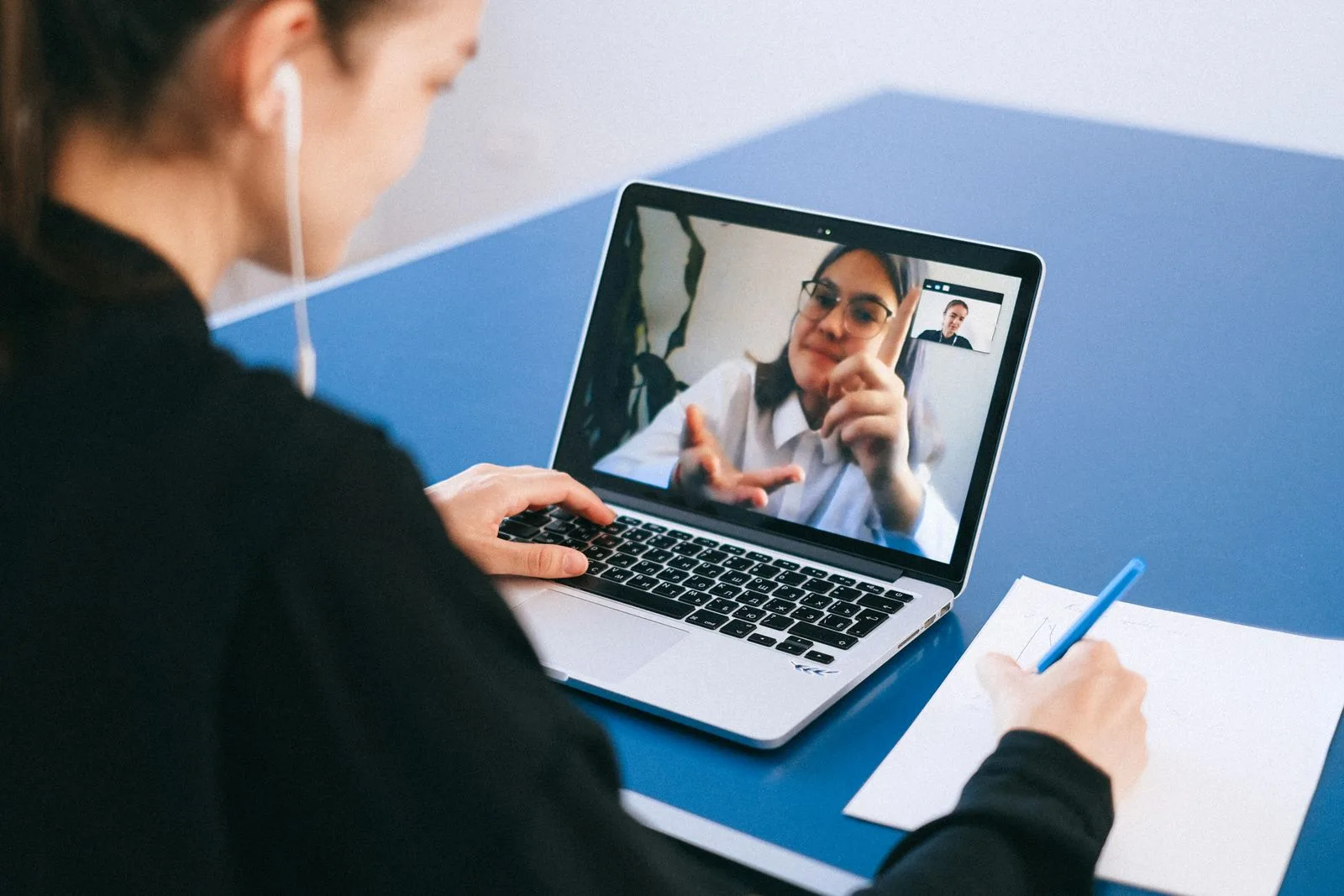
The wearable form factor changes the experience in ways a desk device cannot. Because the display sits in your line of sight, you read the caption while looking at your webcam or the person on screen, so you still appear present and engaged on a video call rather than staring down at a separate caption feed. Speaker identification labels up to 15 distinct voices, which turns a chaotic conference call into a readable script of who said what. And because the glasses caption any audio in the room, the same pair handles your cell phone, your work laptop, and a telehealth tablet without a separate device for each. For everyday face-to-face conversation, the same technology powers real-time captions in real life.
Citation capsule: Captioning glasses transcribe call audio played aloud, so speakerphone or laptop-speaker audio becomes on-lens text. AirCaps uses a 4-microphone beamforming array to reach 97% accuracy at 300ms latency on binocular MicroLED displays weighing 49 grams, with speaker identification for up to 15 voices — letting a wearer read a call hands-free while staying visibly present.
Video Calls Are the Gap No One Solved
Video calls are where legacy phone-access tools fall silent. A captioned telephone cannot caption Zoom. A TTY has nothing to say to Google Meet. Yet video conferencing has become unavoidable — the market reached roughly $11.65 billion in 2024 and is projected to more than double by 2033 (Grand View Research, 2024), with Zoom alone reporting hundreds of millions of daily meeting participants.
The built-in captions on those platforms help, but they are inconsistent. Independent hands-on testing found automatic captions frequently fall short on Zoom, Google Meet, Facebook, and other services (Consumer Reports, 2024). Accuracy also collapses on accented or atypical speech: one study found a major ASR system had an 18% word error rate for hearing speakers but 78% for Deaf speakers (arXiv, 2024). Platform captions also disappear the moment you switch apps or join a call that lacks them.

Healthcare made the gap worse when it went virtual. Studies of deaf and hard-of-hearing patients found telehealth platforms frequently lacked captioning, pushing many onto general video-relay interpreters, and roughly a third relied on residual hearing to get through appointments (J. Telemedicine and Telecare, 2022). Captioning glasses sidestep the whole problem: they caption whatever audio reaches your ears, regardless of which app is running or whether that app bothered to build accessibility in. For meeting-heavy professionals, that pairs naturally with AI meeting intelligence that keeps a searchable transcript of every call.
Citation capsule: Video calls are the channel legacy tools never addressed. Platform auto-captions "often fall short" (Consumer Reports, 2024) and word error rates reach 78% for Deaf speakers versus 18% for hearing speakers (arXiv, 2024). Because captioning glasses transcribe room audio independent of the app, they caption any video call — even one whose platform offers no captions at all.
The Latency Problem, and Why It Matters
Latency is the hidden reason so many captioned calls feel awkward: the text arrives after the moment has passed. Human-assisted relay captions typically lag about 3 to 5 seconds behind the speaker, while automatic captions run closer to 1 to 2 seconds (HearingTracker, 2024). Conversation researchers find that delays beyond roughly 2 seconds begin to break the natural rhythm of turn-taking.
In practice, a multi-second lag means you answer the previous question while the caller has moved on, or you interrupt because the caption has not caught up. It is the difference between following a conversation and chasing it. This is precisely where the engineering behind captioning glasses matters: AirCaps captions at 300ms latency, well inside the window where text tracks the voice instead of trailing it.
Why does a third of a second beat two seconds so decisively? Because human conversation runs on gaps measured in milliseconds. When captions arrive fast enough, you respond in real time and the person on the other end never senses a delay. When they arrive slowly, every exchange carries a stutter that both people feel. Speed is not a spec-sheet flourish here — it is the whole experience.
Citation capsule: Latency determines whether captioned calls feel natural. Human relay captions lag 3 to 5 seconds and automatic captions 1 to 2 seconds (HearingTracker, 2024), while delays beyond about 2 seconds disrupt conversational turn-taking. AirCaps captions at 300ms, keeping text inside the window where a wearer can answer in real time rather than chasing the conversation.
TTY vs. Captioned Telephone vs. IP CTS vs. Glasses
Each generation of phone-access technology solved a real problem and left one behind. The table below lays out how the main options compare on the dimensions that decide day-to-day usefulness: what calls they cover, how mobile they are, and whether they handle the video meetings that now fill our calendars.
| Dimension | TTY / TDD | Captioned Telephone | IP CTS App | Captioning Glasses |
|---|---|---|---|---|
| How it works | Both parties type over the line | On-screen text of the other speaker | Smartphone or computer captions the call | Glasses caption any audio played aloud |
| Phone calls | Yes (both need TTY or relay) | Yes | Yes | Yes (via speakerphone) |
| Video calls | No | No | Limited / platform-dependent | Yes (any platform) |
| In-person conversation | No | No | No | Yes |
| Mobility | Tethered device | Desk device | Phone-bound, eyes down | Fully wearable, hands and eyes free |
| Typical latency | Real-time typing (slow) | 1–5 seconds | 1–2 seconds | 300ms |
| Languages | English | Mostly English/Spanish | Varies | 60+ with auto-detection |
| Hands-free | No | No | No | Yes |
The pattern is clear. TTY and captioned telephones excel at the one thing they were built for — a phone call at a fixed location — and do nothing else. IP CTS apps added mobility but keep your eyes locked on a phone screen and stay bound to the call app. Captioning glasses are the only option that covers phone calls, video calls, and the in-person conversation happening in the same room, all hands-free. For multilingual households or international calls, the glasses also add live translation across 60+ languages, something no captioned telephone offers.
None of this makes the older tools obsolete overnight. If you have a captioned telephone you love for long calls with family, keep it. The argument is about coverage: one wearable device that follows you across every kind of call and conversation, rather than a different box for each.
What Captioning Glasses Will Not Do
Honesty matters more than a sales pitch, so here are the limits. Captioning glasses caption audio their microphones can hear, which means the call has to play out loud. On a crowded train or in an open-plan office where you cannot use speakerphone, a private captioned-calling app on your phone or a discreet earpiece setup may suit that moment better. The glasses shine when you control the audio environment — your home, your office, a quiet room.
They are also not a relay service. If you are calling someone who needs a text relay operator to voice your typed words, or you rely on a Video Relay Service interpreter in ASL, captioning glasses do not replace that. They caption speech into text; they do not carry your side of the call or interpret signed language. For deaf people whose first language is ASL, a qualified interpreter still conveys grammar and nuance that captions cannot.
And captions depend on transcription quality. Names, technical jargon, and fast overlapping speakers are genuinely hard, and no automatic system is perfect. The realistic expectation is a large, reliable gain in access to spoken calls — enough to follow the conversation and respond in real time — not a flawless court transcript. When a detail is critical, such as a confirmation number or a dosage, confirm it in writing.
At $599 with HSA/FSA eligibility, no required subscription, and a 15-day return window, the practical move is to test the glasses on your own calls. Try a work video meeting, a call home on speaker, and a telehealth appointment, and see whether reading your calls hands-free changes how you feel about picking up the phone.
Frequently Asked Questions
Can captioning glasses caption a regular phone call?
Yes, when the call plays out loud. Put the call on speakerphone and the glasses' 4-microphone array captures the voice and displays it as text at 97% accuracy with 300ms latency. This addresses a channel that 97% of people with moderate-to-severe hearing loss find frustrating (RNID, 2017). In a noisy public space where speakerphone is not practical, a private captioned-calling app may fit that moment better.
How is this different from a captioned telephone like CapTel or CaptionCall?
A captioned telephone shows text on a fixed desk device and works only for phone calls. Captioning glasses are wearable and caption phone calls, video calls, and in-person conversations with the same device. Captioned telephones also lag 1 to 5 seconds (HearingTracker, 2024), while AirCaps runs at 300ms, keeping captions in step with live turn-taking.
Do captioning glasses work on Zoom, Google Meet, and Microsoft Teams?
Yes, on any platform. Because the glasses caption the audio your laptop plays aloud, they do not depend on the video app having its own captions — a real advantage, since independent testing found platform auto-captions "often fall short" (Consumer Reports, 2024). You read the captions while looking at your webcam, so you stay visibly present on camera.
Are captioning glasses a replacement for TTY or relay services?
Not entirely. Captioning glasses convert spoken audio into text you read, but they do not carry your spoken side of a call or interpret ASL the way a Video Relay Service interpreter does. The FCC has been transitioning away from TTY since 2016 (FCC, 2024), and glasses complement modern relay tools rather than replacing every function of them.
Is automatic captioning accurate enough to trust on important calls?
For following the conversation, yes; for recording critical details, confirm in writing. Automatic captioning is now the federal standard — ASR-only captions reached 74.6% of IP CTS minutes in 2023 (FCC-24-81, 2024). AirCaps captions at 97% accuracy, but names and technical terms can still slip, so verify numbers like confirmation codes or dosages before you hang up.
Sources: WHO — Deafness and Hearing Loss, 2024. NIDCD — Quick Statistics About Hearing, 2024. HLAA — Hearing Loss by the Numbers, 2024. FCC — IP CTS, 2024. FCC — Report and Order FCC-24-81 (PDF), 2024. FCC — New IP CTS Compensation Plan, 2024. FCC — 2025-26 TRS Fund Contribution Factors Order, 2025. FCC — Real-Time Text guide, 2024. Federal Register — Transition from TTY to Real-Time Text, 2017. Emmett and Francis — Socioeconomic Impact of Hearing Loss (PubMed), 2015. Measuring the Accuracy of ASR Solutions (arXiv), 2024. Consumer Reports — Auto-Captions Often Fall Short, 2024. HearingTracker — CaptionCall Review, 2024. Grand View Research — Video Conferencing Market, 2024. Making Virtual Health Care Accessible to the Deaf Community (J Telemedicine and Telecare), 2022. RNID phone-call research (via Limping Chicken), 2017. Image credits: Pexels (royalty-free).
On this page
Table of Contents
▼
Written by
Madhav Lavakare
Co-founder & CEO, AirCaps
Co-founder of AirCaps. Building AI-powered smart glasses for conversation since 2013. Yale graduate, Y Combinator alum. Built his first Google Glass apps at age 13 and has spent 11+ years in speech AI and wearable computing.
Related Articles

Guides
Hearing Loops and Telecoils vs. Captioning Glasses: What Public Venues Need to Know
Only about 34% of hearing aid wearers know they have a telecoil (Hearing Review, 2014). Here's what hearing loops, ALS receivers, and captioning glasses each reach.
Madhav Lavakare
·
Aug 1, 2026
·
22 min read

Guides
Listening Fatigue: The Hidden Cost of Hearing Loss (and How Captions Help)
A systematic review of 24 studies found 67% linked hearing loss to increased fatigue (Holman, 2021). What listening fatigue costs, and where captions help.

Nirbhay Narang
·
Jul 29, 2026
·
23 min read

Guides
Sudden Sensorineural Hearing Loss: How Captioning Glasses Bridge the Recovery Gap
Sudden hearing loss strikes about 66,000 Americans a year, and roughly 90% is idiopathic (AAO-HNS, 2019). How captioning glasses bridge the uncertain recovery gap.
Madhav Lavakare
·
Jul 26, 2026
·
22 min read
© 2025 AirCaps. All rights reserved.