Best Caption Glasses for Deaf and Hard-of-Hearing People: What to Look For
Comparing caption glasses for deaf and hard-of-hearing users? Here's what actually matters - accuracy, latency, display, battery, and more - before you buy.
By AirCaps Team · Published 2026-08-27 · 12 min read
What Are Caption Glasses?
What Makes a Good Pair of Caption Glasses?
1. Caption Accuracy Matters More Than a Long Feature List
2. Low Latency Makes Conversations Feel Natural
3. Noise Handling Can Make or Break the Experience
4. The Display Should Help Without Getting in the Way
5. Battery Life Matters More Than You Think
6. Phone and Internet Dependence
7. Prescription Compatibility Is Worth Checking
8. Comfort Matters for All-Day Wear
9. Hearing Aid and Cochlear Implant Compatibility
10. Translation Is Useful, but It Is Not the Same as Captioning
What About Hearing Aids and Cochlear Implants?
How Much Should Caption Glasses Cost?
So, What Are the Best Caption Glasses?
Final Buying Checklist
The Real Question
Frequently Asked Questions
Do caption glasses work without an internet connection?
Can I get caption glasses with my prescription?
Do caption glasses work with hearing aids or cochlear implants?
How accurate are live captions in noisy places like restaurants?
Is there a monthly subscription required to use caption glasses?
What's the difference between caption glasses and translation glasses?
How long does the battery last on a full charge?
Are caption glasses comfortable enough to wear all day?

Guides
Best Caption Glasses for Deaf and Hard-of-Hearing People: What to Look For

AirCaps Team
·
August 27, 2026
·
12 min read

On this page
Table of Contents
▼
Editorial disclosure: AirCaps manufactures caption glasses and is included in this comparison. The buying criteria below apply to every product discussed, AirCaps included.
You catch most of a conversation, then lose a word here, a name there, and suddenly you're nodding along to something you didn't actually hear. It happens at dinner tables, in meetings, at the pharmacy counter. Phones can put live captions in front of you, but holding one up mid-conversation feels clunky, and it pulls your eyes away from the person talking to you.
Caption glasses put the words in your line of sight instead of in your hand. A handful of companies now make them, and they are not built the same way. Most connect to a phone to do the heavy processing work, though how well they handle a dropped connection varies. Some are priced closer to $600, while others cost several times that.
If you're trying to figure out which pair actually fits how you communicate, here's what to look at before you spend anything.
What Are Caption Glasses?
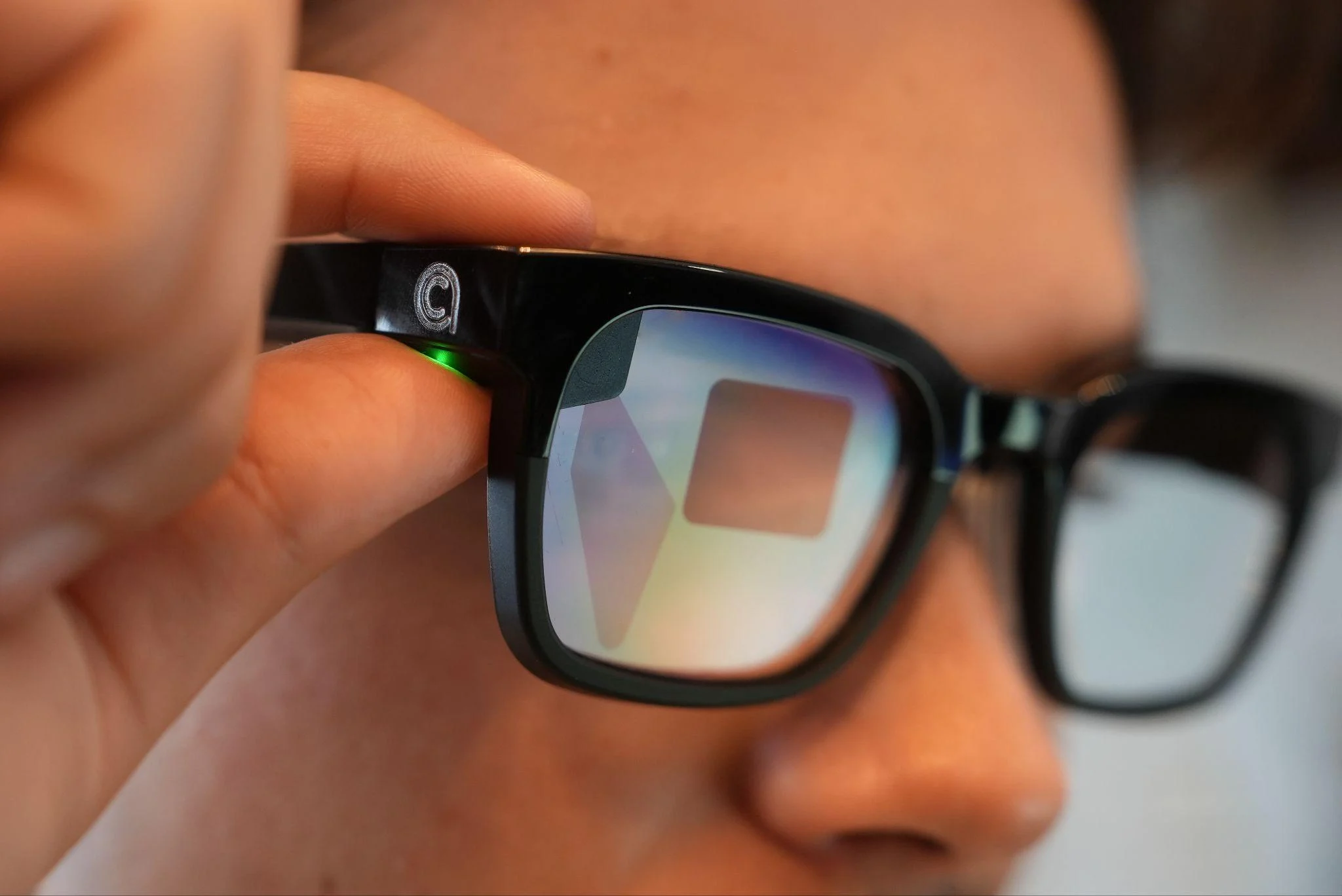
Caption glasses are regular-looking eyewear with a display built into the lens. A microphone, or a small array of them, picks up speech nearby, software turns it into text, and that text shows up in your field of vision close to real time. You read what's being said instead of trying to catch every word by ear or by lip reading.
They're not hearing aids, and they're not a replacement for one. Most people using them either have some residual hearing, wear hearing aids or a cochlear implant already, or communicate through a mix of methods depending on the setting. Caption glasses are one more tool in that mix, not a stand-in for the others.

What Makes a Good Pair of Caption Glasses?
This is where the differences between products actually show up. A list of features and technical details full of buzzwords doesn't tell you much. These are the things that determine whether the glasses hold up in real conversations.
1. Caption Accuracy Matters More Than a Long Feature List
If the captions are wrong or garbled, nothing else about the glasses matters. Accuracy is usually quoted as a percentage, and it's worth asking how that number was measured: a quiet room, one speaker, and clear audio, or something closer to real life?
Real life is messier. On the HearingTracker forum, one user described a pair that transcribed her own voice fine but missed someone sitting two feet away from her. That's the gap between a lab number and daily use. Ask what the glasses do with accents, fast talkers, and people who mumble, because that's the actual test.
2. Low Latency Makes Conversations Feel Natural
Latency is the delay between someone speaking and the text showing up. A short lag is barely noticeable. A long one turns a conversation into something closer to a walkie-talkie exchange, where you're always half a beat behind. Several buyers in the same forum thread flagged noticeable lag as a dealbreaker, especially in group settings where multiple people are talking. If a company won't tell you its latency in plain numbers, that's worth noting.
3. Noise Handling Can Make or Break the Experience
A quiet living room is not where these glasses get tested. Restaurants, classrooms, family gatherings, and open offices all have background noise that competes with the person you're trying to hear. The number and placement of microphones affect how well the glasses isolate one voice from the noise around it. Some products lean on directional or beamforming microphone arrays specifically to handle this. Ask how the glasses perform with more than one person talking, not just one.
4. The Display Should Help Without Getting in the Way
This is one of the more overlooked buying criteria, and it came up repeatedly in real buyer discussions. The text should sit where you can read it comfortably without blocking your normal view of the room or the person you're talking to. Ask about brightness in different lighting, how easy the captions are to follow while still maintaining eye contact, and whether reading them for an hour or more feels effortless or tiring. Comfort here is genuinely personal, so if you can try a pair before buying, do.
5. Battery Life Matters More Than You Think
If you're wearing these for a full workday, a conference, or a long family dinner, battery life stops being a footnote and becomes the thing that decides whether the glasses are actually usable. Buyers in the HearingTracker thread compared notes on products that lasted anywhere from under three hours to a full eight, and that gap changes what the glasses are realistically good for. Ask about battery life under normal mixed use, not just standby time, and check whether there's a way to extend it - a charging case, a swappable battery, or a quick top-up option - for longer days.
6. Phone and Internet Dependence
Most caption glasses on the market today pair with a phone and lean on cloud processing to get the best accuracy. That's not automatically a bad thing, but it means a spotty connection can interrupt captions mid-conversation. Several people on the forum described exactly this: captions dropping out with "no internet" errors or needing to be restarted. If you're planning to use the glasses somewhere with unreliable Wi-Fi or cell service - while traveling, in rural areas, or in certain buildings - ask how the product behaves when the connection isn't perfect.
7. Prescription Compatibility Is Worth Checking
If you already wear prescription glasses, this isn't optional. Look at how the prescription lenses are actually fitted. Some brands use a separate insert that you push into the frame yourself, which raises fair questions about fit and durability over time. Others route the prescription through an optical lab, closer to how you'd normally order glasses. Ask what the process looks like, who handles it, and what happens if the fit isn't right.
8. Comfort Matters for All-Day Wear
Weight, where that weight sits on your nose and ears, and how warm the frame runs after an hour of use all affect whether you'll actually keep wearing the glasses. A pair that's brilliant for twenty minutes and uncomfortable after that isn't solving your problem for the situations where you need it most: long meetings, travel days, and family events.
9. Hearing Aid and Cochlear Implant Compatibility
If you already use hearing aids or a cochlear implant, check that the glasses are comfortable to wear alongside them and don't interfere with fit or function. This should be an additive setup, not one where you have to choose between your existing device and the glasses.

10. Translation Is Useful, but It Is Not the Same as Captioning
Some products lean hard into translation between languages, which is genuinely useful for travel or multilingual settings. But translating between languages and captioning your own language in real time are different jobs, and being excellent at one doesn't guarantee the other.
If captioning your everyday conversations is the priority, check how the product performs on that specifically, not just how many languages it lists.
What About Hearing Aids and Cochlear Implants?
Caption glasses work best as an addition, not a replacement. Someone with hearing aids might still miss words in a loud restaurant or a fast-moving meeting. Captions fill that specific gap without asking them to give up devices that already work for them elsewhere.
The same goes for cochlear implant users, or anyone who relies on lip reading, ASL, or an interpreter. None of these tools cancel each other out. The right combination depends on the person, the setting, and what's actually missing from the conversation.
How Much Should Caption Glasses Cost?
Prices in this category span a wide range, and buyers on the HearingTracker forum openly compared notes on this: some products land closer to $600-$700, while others run into the thousands. The cheapest option isn't automatically the best value, and neither is the most expensive one.
The number on the box isn't the full story. Look closely at whether the core captioning feature works out of the box or whether it's gated behind a subscription. Some products charge per minute or per month for the features shown in every demo video, which can turn a one-time purchase into an ongoing cost. Before you buy, get a straight answer to two questions: what works without paying more, and what doesn't?
So, What Are the Best Caption Glasses?
| Feature | AirCaps | Captify | XRAI |
|---|---|---|---|
| Price | $599 | $799 | $699 |
| Transcription accuracy | 97% (noisy environments) | 90% (ideal conditions) | 85% (ideal conditions) |
| Onboard microphones | 4 | 2 | 3 |
| Transcription/translation languages | 60 | 30 | Not stated (language switching limited to 10) |
| Battery options | Charging case + hot-swappable capsules | No battery extenders | Charging case only |
| Offline mode | Auto-switches based on connection | Manual switch, no auto-switching | Manual switch, no auto-switching |
| Prescription lenses | Any optician | Ordered through Captify | Ordered through a third-party lab (Lensology) |
There isn't one universal answer here, and anyone who gives you a confident top pick without asking what you need is skipping a step. The right choice depends on what matters most to you: all-day comfort, prescription fit, working reliably without a strong signal, translation for travel, or compatibility with hearing aids you already rely on.
That said, here's where AirCaps fits into this picture. AirCaps is built around real-time captioning with a private, binocular display, so text shows in both lenses rather than straining one eye. It runs on a 4-microphone beamforming array aimed at isolating speech in noisy rooms, with latency of around 300ms and caption accuracy up to 97% in testing.
The glasses support prescription lenses, work alongside hearing aids and cochlear implants, and handle translation across 60+ languages when you need it. They're built with Rokid on the hardware side and Bolon Eyewear on the frame design, weigh 49 grams, and come with Power Capsules for extending battery through a longer day. There's no mandatory subscription for the core captioning experience, and at $599, they're HSA/FSA eligible.
None of that matters if it doesn't match what you personally need from a pair of glasses. Use the criteria above to test any product you're considering, AirCaps included.
Final Buying Checklist
Before you buy a pair of caption glasses, get clear answers on:
- What's the real-world caption accuracy, not just the lab number?
- What's the latency, and how does it feel in a fast conversation?
- How well do they isolate speech in a noisy room with multiple people talking?
- Is the display in one eye or both, and how does that feel after an hour?
- What's the actual battery life under normal use, and how do you extend it?
- Do they need a phone and internet connection to work, and what happens when the connection drops?
- Can you get prescription lenses fitted, and how?
- Are they comfortable enough to wear for a full day?
- Do they work alongside hearing aids or a cochlear implant?
- How is your conversation audio handled, and can you delete it?
- Is translation something you need, or a feature you'll never touch?
- What does the price actually include, and is there a subscription hiding behind the demo?
The Real Question
The question worth asking isn't "which smart glasses have captions?" It's "which glasses will make the conversations I actually have easier?" That answer looks different for a college student in lecture halls, a grandparent at family dinners, and a professional sitting through back-to-back meetings. Match the glasses to your conversations, not the other way around.
Frequently Asked Questions
Do caption glasses work without an internet connection?
Some do, but offline behavior varies. Ask whether captions switch automatically when a connection drops, which languages work offline, and how accuracy changes without cloud processing.
Can I get caption glasses with my prescription?
Yes, many caption glasses support prescription lenses, but the process differs by brand. Some work with any optician, while others require an insert or a specific third-party lab.
Do caption glasses work with hearing aids or cochlear implants?
They can. Caption glasses are designed to add visual speech information rather than replace an existing hearing device, but you should check that the frame remains comfortable and does not interfere with your hearing aid or implant hardware.
How accurate are live captions in noisy places like restaurants?
Accuracy depends on the microphones, noise handling, speaker distance, and speech recognition model. Look for results measured in noisy, multi-speaker environments rather than a percentage recorded in a quiet room.
Is there a monthly subscription required to use caption glasses?
It depends on the product. Before buying, confirm which captioning features work indefinitely without another payment and which require a monthly fee or metered minutes.
What's the difference between caption glasses and translation glasses?
Caption glasses show speech in the same language, while translation glasses convert speech from one language into text in another. A product may support both, but strong translation performance does not automatically mean strong everyday captioning.
How long does the battery last on a full charge?
Battery life varies widely with brightness, connectivity, and active captioning. Compare normal mixed-use and continuous-captioning estimates, then check whether a charging case or swappable battery can extend the day.
Are caption glasses comfortable enough to wear all day?
That depends on frame weight, balance, heat, and your individual fit. If possible, test a pair for at least an hour and check how it feels on your nose, ears, and alongside any hearing device you wear.
On this page
Table of Contents
▼
Written by
AirCaps Team
AirCaps
Building smart glasses with real-time captions, 60+ language translation, and AI meeting intelligence for the Deaf and Hard of Hearing community and professionals worldwide.
Related Articles
Guides
How Do Captioning Glasses Work? A Guide to Real-Time Captions
How do captioning glasses turn speech into text you can read? A plain-language walkthrough of microphones, AI transcription, latency, and displays.
AirCaps Team
·
Sep 9, 2026
·
13 min read

Guides
How to Choose Captioning Glasses: A Buyer's Guide for the Deaf and Hard of Hearing
A practical buyer's guide for choosing captioning glasses: the 8 specs that matter, why 60%+ of people with hearing loss skip hearing aids (Healthy Hearing, 2025), and how to avoid the mistakes most first-time buyers make.

Madhav Lavakare
·
Apr 19, 2026
·
20 min read

Guides
Caption Glasses vs. Hearing Aids: What's the Difference?
Hearing aids amplify sound; caption glasses show real-time text. Learn how they differ, where each excels, and whether you might benefit from both.
AirCaps Team
·
Sep 17, 2026
·
9 min read
© 2025 AirCaps. All rights reserved.