How Captioning Glasses Work: The Technology Behind Real-Time Speech-to-Text
Captioning glasses use 4-mic beamforming, on-device AI speech recognition, and MicroLED waveguide displays to convert speech to text in 300ms. Learn exactly how each component works — from sound capture to captions on your lenses.
By Nirbhay Narang · Published 2026-04-10 · 18 min read
How Do Captioning Glasses Turn Speech Into Text You Can Read?
Table of Contents
What Are Captioning Glasses?
How Do Microphones Capture Speech in Noisy Environments?
What Is Beamforming and Why Does It Matter?
How Does AI Convert Speech to Text in Milliseconds?
How Does the Display Show Text Without Blocking Your View?
What Happens Between Sound and Text? The Complete Pipeline
How Accurate Are Captioning Glasses in Real-World Conditions?
How Does Real-Time Translation Work Alongside Captions?
What Should You Look for When Comparing Captioning Glasses?
Frequently Asked Questions
How fast do captioning glasses display text after someone speaks?
Can other people see the captions on your lenses?
Do captioning glasses work without internet?
How do captioning glasses handle multiple people talking at once?
Are captioning glasses a replacement for hearing aids?
How long does the battery last?
What languages do captioning glasses support?

Guides
How Captioning Glasses Work: The Technology Behind Real-Time Speech-to-Text

Nirbhay Narang
·
April 10, 2026
·
18 min read

On this page
Table of Contents
▼
Editorial disclosure: AirCaps manufactures captioning glasses. This guide uses AirCaps hardware as a reference architecture to explain how the technology works. We aim to be straightforward about what the technology can and cannot do.
How Do Captioning Glasses Turn Speech Into Text You Can Read?
Captioning glasses convert spoken words into text displayed on transparent lenses in real time — typically within 300ms of a word being spoken. The technology combines three systems working in sequence: a multi-microphone array that isolates speech from background noise, an AI-powered speech recognition engine that converts audio to text, and a waveguide display that projects captions into your field of view without blocking your sight. Among the 1.5 billion people worldwide with hearing loss (WHO, 2024), captioning glasses represent a fundamentally different approach than hearing aids — instead of making sound louder, they make speech visible.
This guide breaks down each stage of the technology: how microphones capture and filter sound, how AI processes speech in milliseconds, how displays render text on transparent lenses, and what separates a 97%-accurate system from an 85%-accurate one.
Key Takeaways
- Captioning glasses work in three stages: sound capture (beamforming microphones), speech processing (AI recognition engine), and text display (MicroLED waveguide)
- 4-mic beamforming arrays improve speech clarity by 3.3-13.9 dB in noisy environments, according to PubMed research
- Modern captioning glasses achieve 97% accuracy with 300ms latency — fast enough for natural conversation
- Binocular MicroLED waveguide displays project text on both lenses with less than 2% light leakage, invisible to anyone else
- AirCaps captioning glasses cost $599 (HSA/FSA eligible), weigh 49g, and support 60+ languages with automatic detection
Table of Contents
- What Are Captioning Glasses?
- How Do Microphones Capture Speech in Noisy Environments?
- What Is Beamforming and Why Does It Matter?
- How Does AI Convert Speech to Text in Milliseconds?
- How Does the Display Show Text Without Blocking Your View?
- What Happens Between Sound and Text? The Complete Pipeline
- How Accurate Are Captioning Glasses in Real-World Conditions?
- How Does Real-Time Translation Work Alongside Captions?
- What Should You Look for When Comparing Captioning Glasses?
- Frequently Asked Questions
What Are Captioning Glasses?
Captioning glasses are smart glasses with built-in microphones, an AI speech recognition system, and a transparent heads-up display that shows real-time text of what people around you are saying. Think of them as live subtitles for real life. Unlike hearing aids, which amplify sound, captioning glasses convert speech into text — a fundamentally different approach to the communication problem that hearing loss creates.
The concept is simple: someone speaks, the glasses process the audio through AI, and captions appear on the lenses within a fraction of a second. You read what's being said while maintaining eye contact with the person talking. No looking down at a phone. No asking people to repeat themselves.
Captioning glasses serve three primary audiences: people with hearing loss who need reliable speech comprehension in noisy environments, travelers and multilingual families who need real-time translation, and professionals who want AI-powered meeting intelligence with transcription and summaries.
The technology behind captioning glasses touches multiple engineering disciplines — acoustics, signal processing, machine learning, optical engineering, and low-power computing. Each component has to work within severe constraints: the entire system must fit into a frame weighing under 50 grams, run on a small battery for hours, and process speech with sub-second latency.
How Do Microphones Capture Speech in Noisy Environments?
The microphone system is the first and most critical stage in the captioning pipeline. Everything downstream — speech recognition accuracy, latency, translation quality — depends on the quality of the audio signal captured at this stage. A clean audio signal produces accurate captions. A noisy signal produces errors no amount of AI processing can fully recover.
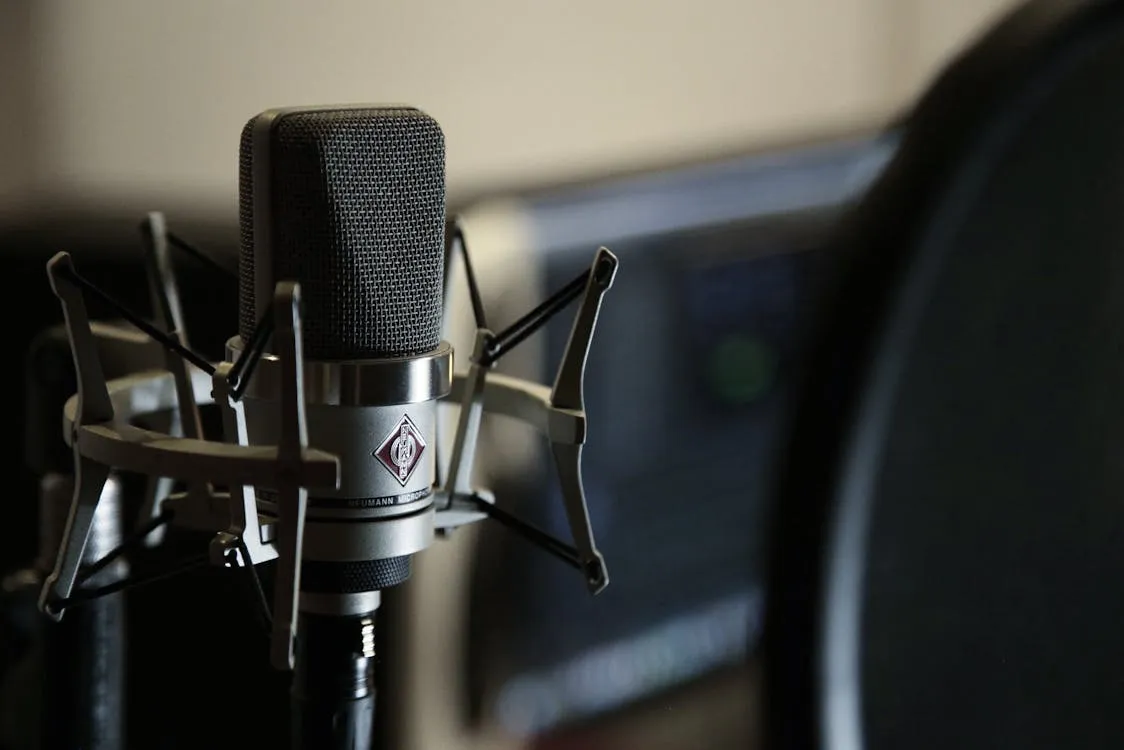
Captioning glasses use multiple microphones arranged in a specific geometric pattern across the frame. AirCaps uses 4 microphones with advanced beamforming — two on the front of the frame facing forward, and two positioned to capture spatial audio cues. This multi-microphone approach differs fundamentally from phone-based captioning apps, which rely on a single microphone picking up all ambient sound without directional discrimination.
The physical placement of microphones on the frame is an engineering advantage unique to glasses. Because the microphones sit at head height, close to the wearer's ears, and face the direction the wearer is looking, they receive speech from conversation partners at a favorable angle. Compare this to a phone lying flat on a restaurant table: the phone microphone picks up reflections off the table surface, ambient noise from all directions, and muffled speech from above.
What Is Beamforming and Why Does It Matter?
Beamforming is the signal processing technique that makes captioning glasses work in noisy environments. It uses the slight differences in when sound arrives at each microphone to calculate where a sound source is located, then amplifies sounds from that direction while suppressing sounds from other directions. The result is a focused audio "beam" pointed at the person you are facing.
Research published in PubMed shows beamforming improves speech clarity by 3.3 to 13.9 dB in noisy environments (PubMed, 2018). To put that in perspective: a 10 dB improvement means the speech signal is perceived as roughly twice as clear relative to the background noise. In a restaurant at 78 dBA — the average noise level reported by the NIDCD (NIDCD, 2025) — that improvement is the difference between catching fragments of conversation and capturing full sentences.
Here is how beamforming works in four steps:
-
Sound arrives at each microphone at slightly different times because the microphones are physically separated across the frame. A voice coming from directly ahead reaches the front microphones first; noise from behind reaches the rear microphones first.
-
The beamforming processor calculates the time-of-arrival differences across all 4 microphones. These tiny delays (measured in microseconds) encode the direction of each sound source.
-
The processor applies adaptive filters that reinforce signals arriving from the target direction (straight ahead — where the person you are looking at is speaking) and attenuate signals from other directions.
-
The cleaned audio signal — with speech amplified and background noise reduced — is passed to the speech recognition engine.
The number of microphones matters. More microphones provide more spatial data points, which means finer directional discrimination and better noise rejection. This is why AirCaps uses 4 microphones with beamforming while many competitors use 1 or 2. A single microphone cannot perform spatial beamforming at all — it hears everything equally, regardless of direction.
How Does AI Convert Speech to Text in Milliseconds?
Once beamforming produces a clean audio signal, the speech recognition engine converts sound into text. Modern captioning glasses use deep neural networks trained on millions of hours of spoken language to perform automatic speech recognition (ASR). The process happens in three overlapping stages: acoustic modeling, language modeling, and text prediction.
In the acoustic modeling stage, the AI breaks the audio stream into short segments (typically 20-30 milliseconds each) and analyzes the frequency patterns in each segment. These patterns are compared against learned representations of phonemes — the smallest units of speech sound. The model identifies that a particular frequency pattern corresponds to the "th" sound, followed by the "eh" sound, followed by the "n" sound.
The language model then takes these phoneme sequences and maps them to likely words and phrases. This is where context matters. The acoustic signal for "their," "there," and "they're" is identical — the language model uses the surrounding words to select the correct spelling. Modern language models analyze the probability of word sequences, so "they're going to" is recognized as far more likely than "their going to" in that context.
Text prediction runs ahead of the audio, anticipating likely next words to reduce perceived latency. When the system recognizes "Nice to meet," it begins preparing "you" before the speaker finishes the phrase. This predictive processing is one reason modern captioning glasses achieve 300ms end-to-end latency — fast enough that captions feel nearly simultaneous with speech.
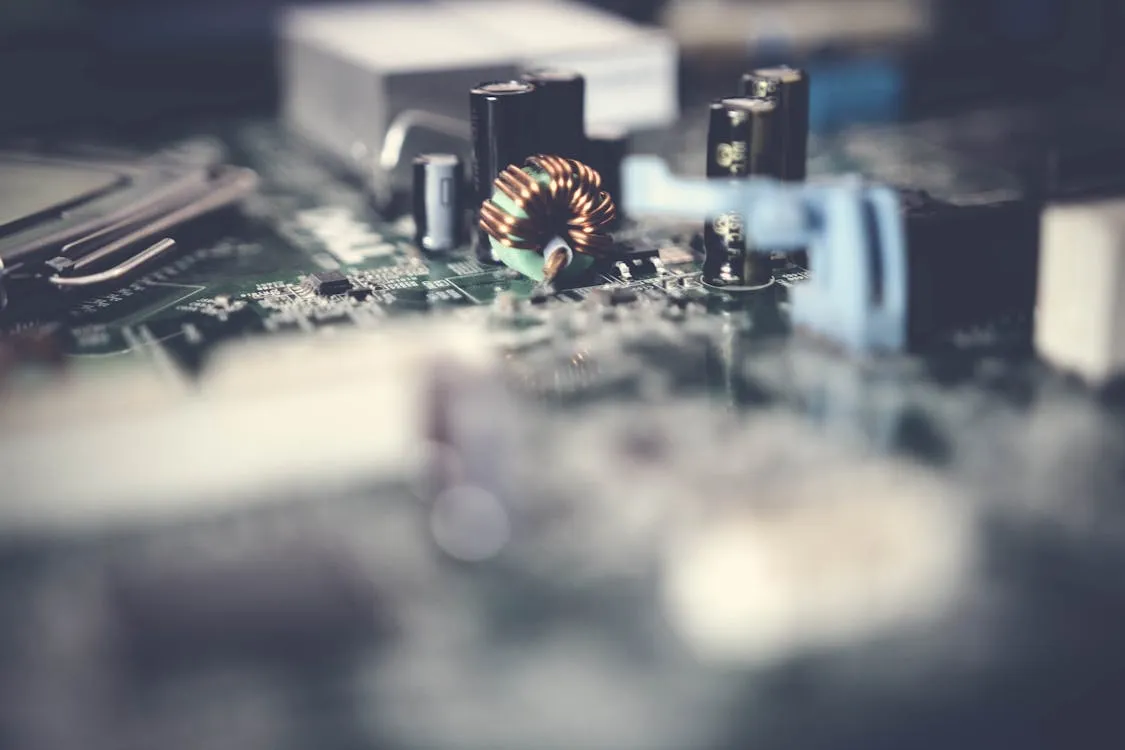
AirCaps runs this pipeline through a combination of on-device processing and cloud AI. The smartphone (connected via Bluetooth 5.3) handles the heavy neural network inference, with the glasses themselves managing audio capture and display. For 9 languages (English, Spanish, Chinese, French, German, Italian, Japanese, Korean, and Portuguese), offline mode handles speech recognition entirely on-device with reduced accuracy — useful when cellular connectivity is unavailable.
How Does the Display Show Text Without Blocking Your View?
The display system in captioning glasses must solve a paradox: project readable text in your field of view while keeping the lenses transparent enough to see through. This rules out standard screens. Instead, captioning glasses use waveguide displays — thin optical layers embedded in the lens that redirect projected light from a tiny source at the temple into your eye.
AirCaps uses binocular MicroLED waveguide displays — one display in each lens, not just one eye. The display resolution is 640x480 monochrome green with a 30-degree field of view. Monochrome green is a deliberate choice: the human eye is most sensitive to green light (peak sensitivity at ~555nm), which means green text requires less power to appear bright and readable against varying backgrounds.
The waveguide works by total internal reflection. A MicroLED projector at the temple of the frame emits light into the edge of the lens. The light bounces through the lens via internal reflections until it reaches a diffractive optical element (a microscopic grating pattern etched into the lens surface) positioned in front of your eye. This grating redirects the light outward, forming a virtual image that appears to float about 2 meters in front of you.
Light leakage — the amount of display light visible to people looking at your glasses — is less than 2% on AirCaps. In practical terms, the person sitting across from you sees what looks like regular eyeglasses. The text is visible only to the wearer. This privacy matters: it lets you use captioning glasses without drawing attention, preserving dignity in social and professional settings.
The binocular design (both lenses, not just one) reduces eye strain and eliminates the visual discomfort that monocular displays cause during extended use. When text appears in only one eye, your brain has to reconcile two different visual inputs — one eye sees text, the other doesn't. Over hours of use, this causes fatigue and headaches. Binocular displays present identical information to both eyes, which the brain processes naturally.
Display customization lets you adjust font size, text position, and caption speed to your preference. This matters because people read at different speeds, have different visual acuities, and use captioning glasses in different lighting conditions.
What Happens Between Sound and Text? The Complete Pipeline
From spoken word to visible caption, the full process takes around 300ms on AirCaps. Here is the step-by-step pipeline:
| Stage | What Happens | Time |
|---|---|---|
| 1. Sound capture | 4 microphones record audio from all directions | Continuous |
| 2. Beamforming | Signal processor isolates speech from the direction you are facing and suppresses background noise | ~5ms |
| 3. Audio transmission | Cleaned audio is sent from the glasses to your smartphone via Bluetooth 5.3 Low Energy | ~10-20ms |
| 4. Speech recognition | AI neural network converts the audio signal into text, using acoustic and language models | ~150-200ms |
| 5. Text formatting | Recognized text is formatted for display — punctuation, capitalization, speaker labels if multiple speakers are detected | ~10ms |
| 6. Display rendering | Formatted text is sent back to the glasses and projected onto the MicroLED waveguide display | ~10-20ms |
The total pipeline runs at 300ms end-to-end for captions in the same language. For translation, the pipeline includes an additional neural machine translation step after speech recognition, bringing total latency to approximately 700ms for 60+ supported languages.
Speaker identification adds another layer of processing. AirCaps can identify and label up to 15 different speakers in real time, so in a group conversation, each person's words appear with their name or label. This uses voice embedding technology — the AI creates a unique "voiceprint" for each speaker based on vocal characteristics (pitch, cadence, timbre) and tracks which voice is speaking at any given moment.
How Accurate Are Captioning Glasses in Real-World Conditions?
Accuracy is the metric that matters most. A system that is fast but wrong is useless. Captioning glasses accuracy varies significantly between manufacturers and between environments.
AirCaps achieves 97% caption accuracy with the Pro tier and 90%+ with the free tier. That 97% figure holds in noisy environments — the beamforming microphone array is specifically designed to maintain accuracy when background noise rises. For context, 97% accuracy on a 20-word sentence means 19 or 20 words are correct. At 85% accuracy (common among competitors), that same sentence has 3 wrong words — often enough to change meaning or lose context.
| Metric | AirCaps | Typical Competitors |
|---|---|---|
| Caption accuracy | 97% | ~85% |
| Latency (same language) | 300ms | 800ms+ |
| Microphones | 4 (beamforming) | 1-2 |
| Languages supported | 60+ | 10-15 |
| Auto language detection | Yes | No |
| Speaker identification | Up to 15 speakers | Not available |
| Display type | Binocular MicroLED | Monocular |
| Weight | 49g | 60-80g |
| Price | $599 | $800-1,200 |
| Subscription required | No (free tier always available) | Yes |
Several factors affect real-world accuracy:
- Distance from speaker: accuracy drops as the speaker moves farther away, because the signal-to-noise ratio decreases
- Accent and dialect: AI models trained on diverse speech data handle accents better, but strong regional dialects can reduce accuracy
- Speaking speed: very fast speech compresses phonemes together, making acoustic modeling harder
- Background noise level: beamforming compensates, but extreme noise (concert-level, above 90 dBA) still degrades performance
- Number of simultaneous speakers: overlapping speech is harder to separate than single-speaker audio
The gap between 97% and 85% accuracy is not a minor difference. It compounds with every sentence. Over a 30-minute dinner conversation — roughly 3,000-4,000 words — 97% accuracy means approximately 90-120 errors. At 85%, that number jumps to 450-600 errors. The lower accuracy makes sustained reading exhausting and often unreliable for following complex conversations.
How Does Real-Time Translation Work Alongside Captions?
Translation adds a fourth stage to the speech-to-text pipeline: neural machine translation. After the speech recognition engine converts audio to text in the source language, a separate translation model converts that text into the target language before displaying it on the lenses. This additional step is why translation latency is approximately 700ms — roughly double the 300ms captioning latency.
AirCaps supports 60+ languages with automatic language detection. The language detection system analyzes the incoming speech and identifies the language being spoken within the first few words — typically under 100ms of additional processing time. No manual selection is needed. If someone switches languages mid-sentence (code-switching, like mixing Spanish and English), the system detects the switch and adjusts on the fly.
The translation accuracy for AirCaps is 95% — slightly lower than the 97% captioning accuracy, reflecting the additional complexity of translation compared to same-language transcription. Translation errors can be semantic (choosing a technically correct but contextually wrong word) or structural (reorganizing sentence structure in ways that sound unnatural in the target language). Modern neural machine translation handles these challenges far better than older phrase-based systems, but translation remains a harder problem than transcription.

What Should You Look for When Comparing Captioning Glasses?
Not all captioning glasses use the same technology, and the differences in component quality create significant differences in real-world performance. Here are the specifications that matter most:
Microphone count and beamforming capability determine how well the glasses work in noise. A single microphone cannot perform spatial filtering — it captures everything equally. Two microphones enable basic directionality. Four or more microphones with beamforming provide the directional discrimination needed for restaurant-level noise (78+ dBA). Ask whether the glasses use active beamforming or just multiple microphones without spatial processing — the distinction matters.
Display type affects comfort during extended use. Monocular displays (one eye only) cause strain over time because your brain must reconcile asymmetric visual input. Binocular displays (both eyes) eliminate this problem. Display brightness and contrast determine readability in different lighting conditions — outdoor use requires higher brightness than indoor use.
Battery life determines how long you can use the glasses continuously. AirCaps provides 4-8 hours on mixed usage, with accessory Power Capsules extending that to 18 hours total. A dinner out typically requires 2-3 hours of active use. A full workday of meetings may require 6-8 hours.
Weight affects all-day wearability. AirCaps weighs 49 grams — lighter than most prescription eyeglasses. Heavier frames cause pressure on the nose bridge and behind the ears, making them uncomfortable over hours of use.
Prescription compatibility matters if you wear corrective lenses. AirCaps works with any prescription from -16 to +16 diopters via interchangeable lens holders that any optician can fit. Some competitors require ordering prescription lenses through their own vendor, adding cost and wait time.
Subscription model affects long-term cost. AirCaps works free forever with unlimited captions in 9 languages and 90%+ accuracy. The Pro tier ($20/month with a 30-day free trial included at purchase) adds 60+ languages, 97%+ accuracy, speaker identification, and AI meeting summaries. Many competitors require a subscription to use the glasses at all.
HSA/FSA eligibility positions captioning glasses as a recognized assistive health device. AirCaps is HSA/FSA eligible at $599, meaning you can use pre-tax health savings dollars — effectively saving 20-35% depending on your tax bracket.
Frequently Asked Questions
How fast do captioning glasses display text after someone speaks?
AirCaps displays captions with 300ms latency — roughly one-third of a second. This speed results from the optimized pipeline: beamforming processes audio in approximately 5ms, Bluetooth transmission takes 10-20ms, and the AI speech recognition engine handles the rest in 150-200ms. At 300ms, captions feel nearly simultaneous with speech, allowing natural conversation flow without the disconnect that slower systems create.
Can other people see the captions on your lenses?
No. AirCaps uses MicroLED waveguide displays with less than 2% light leakage. The text is visible only to the wearer. People sitting across from you see what looks like regular eyeglasses. The frames are designed in collaboration with Bolon Eyewear and come in Midnight, Silver, Sage, and Rose — they look like premium eyeglasses, not a gadget.
Do captioning glasses work without internet?
AirCaps supports offline mode for 9 languages: English, Spanish, Chinese, French, German, Italian, Japanese, Korean, and Portuguese. Offline mode runs speech recognition entirely on the smartphone without cloud processing, with reduced accuracy. For full 97% accuracy and 60+ language support, an internet connection through your phone's cellular or Wi-Fi is required.
How do captioning glasses handle multiple people talking at once?
AirCaps uses speaker identification technology that tracks up to 15 distinct voices simultaneously. Each speaker is assigned a label based on their unique voiceprint (vocal pitch, cadence, and timbre). When multiple people speak, the system displays each person's words with their speaker label. Beamforming helps by prioritizing the speaker you are facing, but the system can transcribe multiple voices in a group conversation.
Are captioning glasses a replacement for hearing aids?
Captioning glasses and hearing aids solve the same problem differently. Hearing aids amplify sound — they work well in quiet environments but struggle when background noise rises above 75 dBA (CDC). Captioning glasses convert speech to text — they work well in noise because beamforming filters sound before processing. Many users wear both: hearing aids for ambient sound awareness in quiet settings, and captioning glasses for speech comprehension in noisy environments like restaurants, group dinners, and meetings. They are complementary, not competing.
How long does the battery last?
AirCaps lasts 4-8 hours on mixed usage and 2-4 hours of continuous display use. Fast charging provides 2 hours of use from a 15-minute charge, with a full charge completing in 40 minutes. For extended use, Power Capsules ($79) are magnetic hot-swap batteries weighing 5 grams each that extend total use to 18 hours without removing the glasses. The Charging Case ($99) holds 3000mAh for 10+ full recharges.
What languages do captioning glasses support?
AirCaps supports 60+ languages including English, Spanish, Chinese, French, German, Japanese, Arabic, Hindi, Korean, Portuguese, Russian, and many more. The system features automatic language detection — it identifies the language being spoken and begins transcribing or translating without manual selection. If a speaker switches languages mid-sentence, the system detects the switch within 100ms and adjusts automatically.
Sources: WHO — Deafness and Hearing Loss, 2024. NIDCD — Noise Levels in Restaurants, 2025. PubMed — Beamforming in Hearing Devices, 2018. CDC — Noise and Hearing, 2023.
On this page
Table of Contents
▼
Written by
Nirbhay Narang
Co-founder & CTO, AirCaps
Co-founder of AirCaps. Cornell-trained engineer with 11+ years building audio AI and smart glasses hardware. Y Combinator alum. Leads the engineering behind AirCaps' 4-microphone beamforming array and real-time speech recognition pipeline.
Related Articles

Guides
What Is Beamforming? Why 4 Microphones Beat 1 for Hearing in Noise
Beamforming uses multiple microphones to isolate speech from background noise — improving clarity by 3.3-13.9 dB according to PubMed research. Learn why 4-mic arrays in captioning glasses outperform single-microphone devices in restaurants, meetings, and group conversations.
Nirbhay Narang
·
Apr 13, 2026
·
17 min read
Guides
97% Accuracy in 300ms: How AI Speech Recognition Actually Works in Smart Glasses
Modern smart glasses caption conversation at 97% accuracy in 300 milliseconds. Inside the four-stage AI pipeline — microphone arrays, beamforming, transformer ASR, and on-device inference — that finally made it work.
Nirbhay Narang
·
May 21, 2026
·
26 min read

Guides
Can't Hear in Restaurants? How Captioning Glasses Solve the #1 Hearing Loss Complaint
Restaurant noise makes hearing aids fail. Learn why captioning glasses with 4-mic beamforming maintain 97% accuracy at 78+ dBA — and how they solve the most common hearing loss frustration.

Madhav Lavakare
·
Apr 4, 2026
·
16 min read
© 2025 AirCaps. All rights reserved.